

If your having trouble with Otto’s home/away functionality and have received the following messages:
- Home/Away has been disabled
- You received an automated email regarding a “configuration error”
- Home/Away time-out failure
Check that the following phone settings are configured properly for each user in your home.
iPhone (iOS)
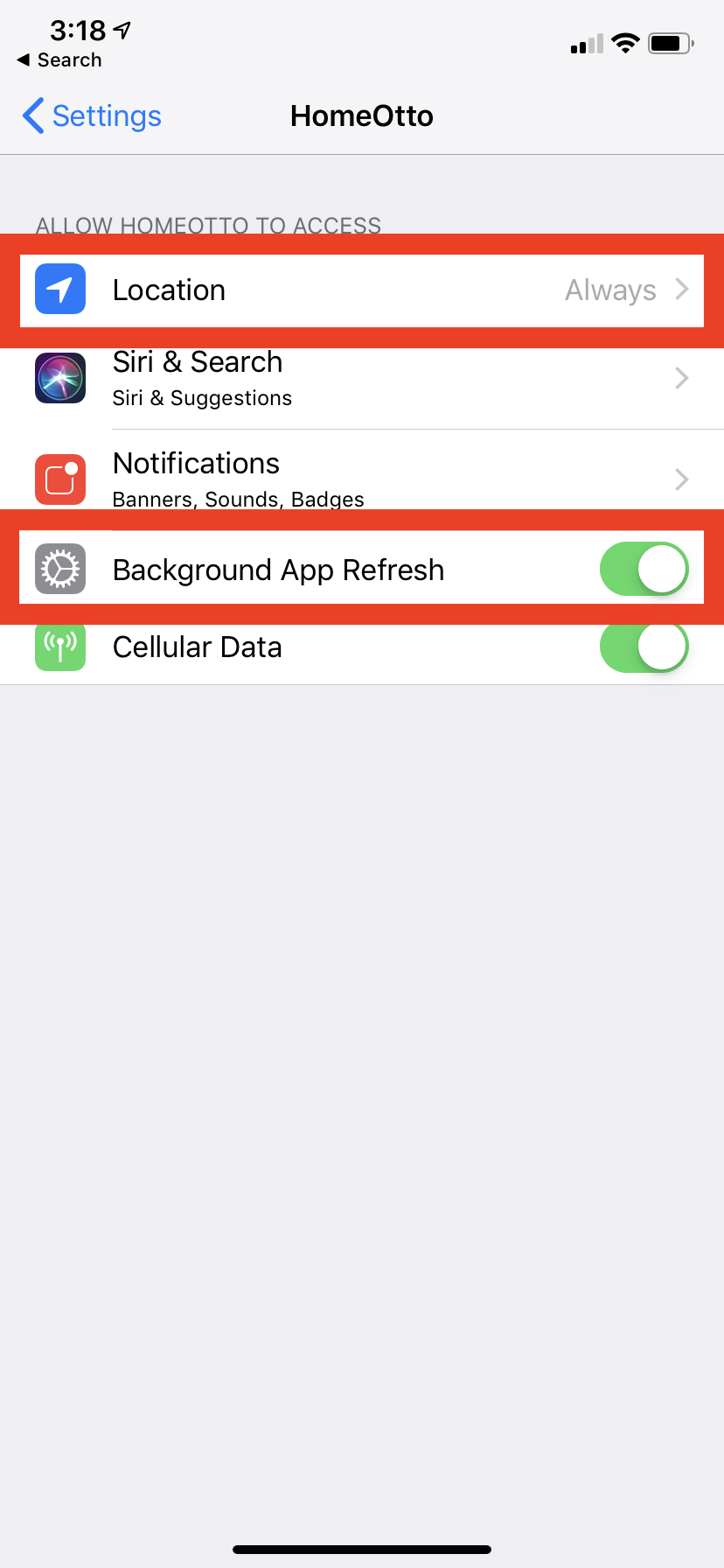
On your iPhone. Navigate to Settings>Home Otto.
Check to make sure tracking is set to “Always” and that background refresh is “Enabled”
Android (GoogleOS)
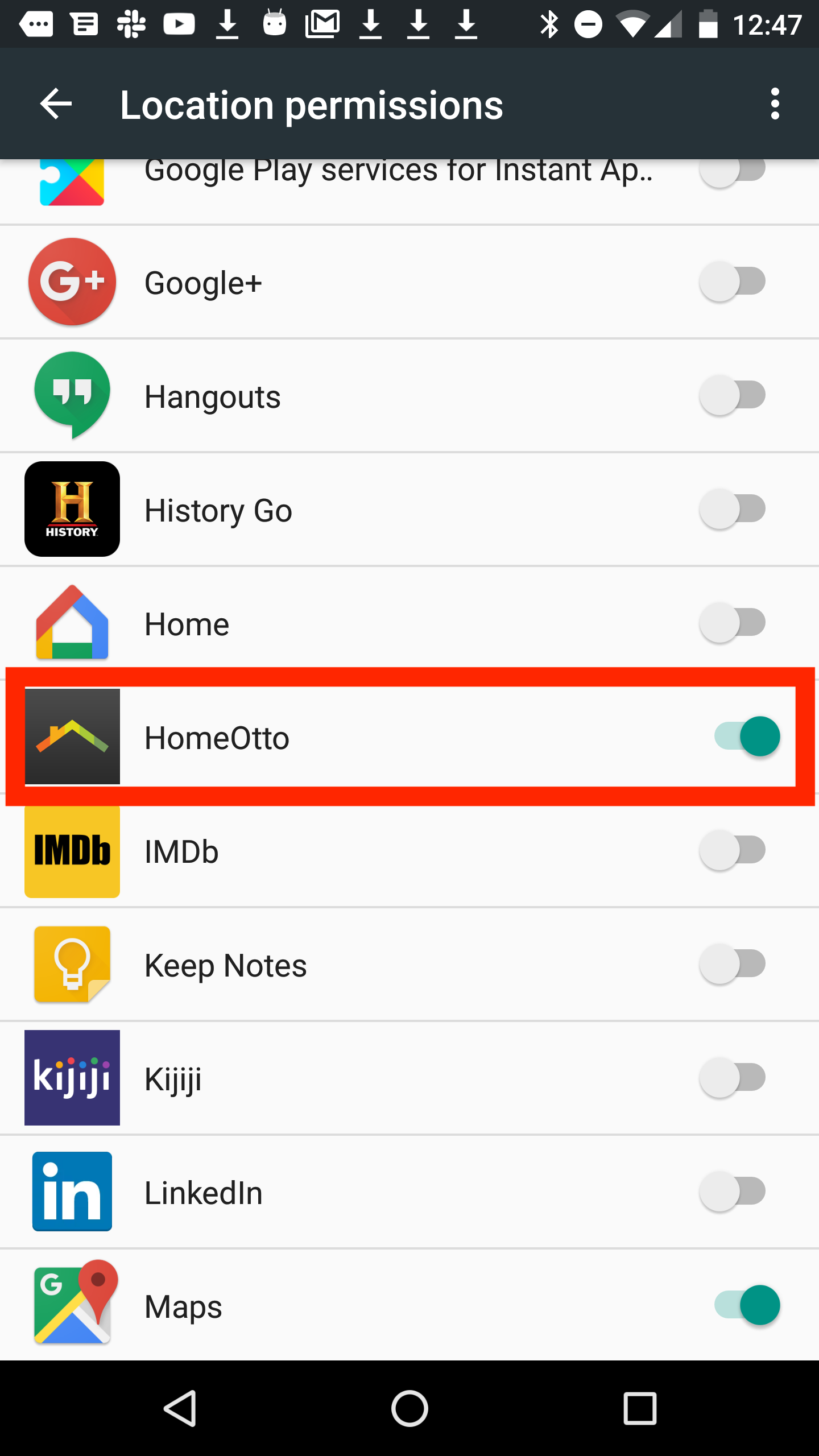
On your Android Phone. Navigate to Settings>Location>Location permissions
Find the Home Otto app and make sure it’s enabled.